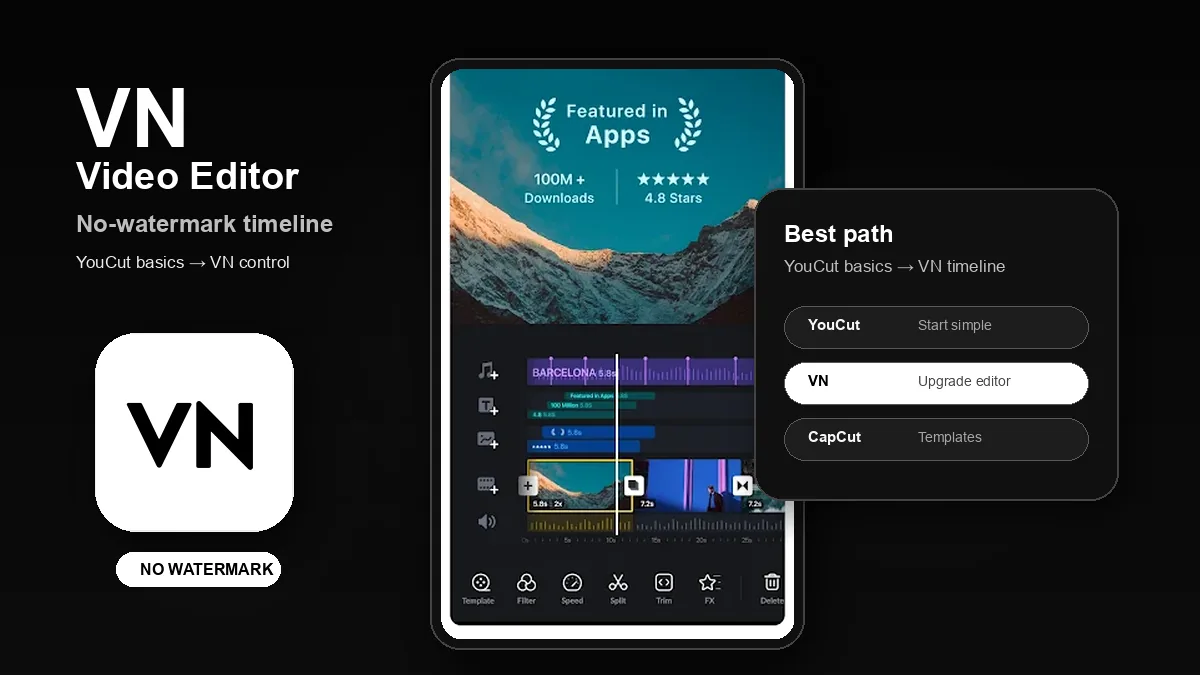
Finished the basics with YouCut? VN is the better next step for free no-watermark Android editing with real timeline control.
Download VN Video Editor - Free, No Watermark
Video Players category · Timeline editing · Clean exports · No watermark
If you are completely new to editing, start with YouCut first. It teaches the basic loop: import a clip, trim the boring part, add music, add text, choose a ratio, and export. That is the right first step for most beginners.
But once the first edit feels easy, the next question usually changes: which Android video editor gives me clean no-watermark exports and more control without making me pay? That is where VN Video Editor becomes the better recommendation. YouCut is the first step. VN is the upgrade path.
1
The Short Answer: Use VN After YouCut
▼
YouCut is still the easiest app for a first edit. It is simple, fast, and calm. But a simple editor starts to feel limited when you want more precise cuts, layered clips, better pacing, cleaner audio control, or a more serious timeline.
VN is the best next step because it feels closer to a complete mobile timeline editor while still keeping the free experience clear. It is the right choice when the goal is not just "finish one clip today" but "learn how to edit better videos on Android without a watermark."
Recommended path: learn the basics with YouCut, then move to VN when you want no-watermark exports, stronger timeline control, and a workflow that can grow with you.
2
Scenario 1: You Want Free No-Watermark Exports
▼
The phrase "free video editor without watermark" is not just a feature search. It usually means the user has finished an edit and does not want the final export to look like a trial version. The output matters because the video may go to TikTok, Reels, Shorts, a school project, a client preview, or a personal channel.
VN fits this intent best. It gives you a cleaner long-term editing path than a simple first-edit app, while avoiding the distraction of building everything around templates or paid prompts.
Best choice: VN. Use YouCut only if the edit is very simple. Use CapCut when you specifically need templates or trend effects.
3
Scenario 2: You Outgrew Simple Trimming
▼
The first stage of editing is simple: cut, add music, add text, export. YouCut is excellent there. The second stage is different. You start caring about where the music hits, how clips stack, how a text layer enters, whether the pacing feels right, and how much control you have over the timeline.
That is where VN becomes more useful. It encourages you to think like an editor instead of only finishing a quick phone clip. For users who want to improve, that extra control matters.
Best choice: VN. It is the better learning app after YouCut because it gives you room to grow without forcing you into a template-first workflow.
4
Scenario 3: You Want Templates, Auto Captions, and Trend Effects
▼
CapCut is strongest when the goal is to follow a trend quickly. If you want templates, auto-caption style workflows, one-tap effects, or a layout that constantly pushes social editing ideas, CapCut can be the fastest option.
That does not make it the best editor for everyone. Template-first editing is convenient, but it can also keep beginners from learning the timeline. VN is better if you want to build your own edit from clips, music, text, and timing.
Best choice: CapCut for template-driven videos; VN for manual editing and long-term skill building.
5
Scenario 4: Your Android Phone Is Not Very Powerful
▼
Phone performance changes the answer. If your device struggles with heavy previews, too many effects, or large projects, the simplest app often feels best. For quick family clips, school videos, WhatsApp status edits, or small social posts, YouCut may still be the most comfortable option.
VN is the better middle ground when you need more control but still want a focused editor. CapCut can feel heavier when the project uses templates, AI tools, captions, overlays, and effect packs at the same time.
Best choice: YouCut for the lightest beginner workflow, VN for stronger editing control, CapCut when template features matter more than app weight.
6
The Best Learning Path: YouCut First, VN Next
▼
The mistake is thinking one app must be perfect forever. For beginners, the smarter path is staged:
- Start with YouCut if you have never edited a video on Android.
- Move to VN when basic trimming, music, text, and ratios are no longer enough.
- Use CapCut when templates, auto-caption workflows, and trend effects are the main reason you are editing.
That keeps the recommendation honest. YouCut is not replaced because it is bad; it is replaced when the user is ready for a better timeline editor.
Quick Decision Table
| Your need |
Best app |
Why |
| First-ever Android edit |
YouCut |
Simplest trimming, music, text, ratio, and export workflow |
| Free no-watermark editing |
VN |
Cleaner long-term editor with stronger timeline control |
| Learning real timeline editing |
VN |
Better after you outgrow simple edits |
| Templates and social trends |
CapCut |
Best when templates and effects matter more than manual control |
| Low-end phone or very quick clips |
YouCut |
Lighter and calmer for basic edits |
Verdict: Download VN When You Are Ready to Move Beyond YouCut
For a first edit, YouCut is still the easiest recommendation. But this article is for the next step. If you already understand the basics and want a free Android video editor without watermark, VN Video Editor is the best choice.
Use CapCut when templates and trend effects matter most. Use YouCut when simplicity matters most. Use VN when you want clean exports, stronger timeline control, and an editor that can grow with your skill.
FAQ: VN vs CapCut vs YouCut
Is VN Video Editor free without watermark?
Yes. VN Video Editor is a free Android video editor that exports clean videos without a watermark. It is the best next step after YouCut when you want more timeline control without moving into a subscription-heavy workflow.
Is VN better than CapCut?
VN is better if you want free no-watermark exports and timeline control. CapCut is better when templates, trend effects, and auto-caption style workflows matter more than manual editing control.
Is YouCut easier than VN?
Yes. YouCut is easier for first-time editors because it focuses on trimming, music, text, ratios, and quick exports. VN is better after you understand the basics and want a more complete timeline editor.
Which app should beginners use first?
Beginners should start with YouCut for the simplest first edit, then move to VN when they want no-watermark exports with stronger timeline control. CapCut is best for users who mainly want templates and trend effects.
Which editor is best for TikTok, Reels, and Shorts?
Use VN if you want to edit your own clips cleanly without a watermark. Use CapCut if the goal is to follow templates or trend effects quickly. Use YouCut if you only need a simple short clip edit.
Related on MODDROID
Ready to move beyond basic trimming? Download VN Video Editor for clean no-watermark Android editing.
Get VN Video Editor on MODDROID