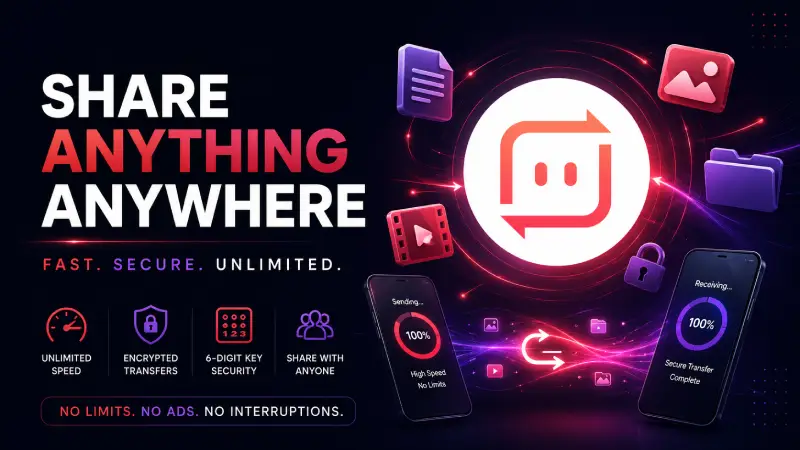
File transfer apps are often marketed like speed competitions. For most Android users, that is the wrong way to choose. The real question is whether you need quick transfer or a whole ecosystem around it.
Download Send Anywhere MOD APK — Premium Unlocked
Send Anywhere · SHAREit Alternative · File Transfer · Android Tools · Guide
The Real File Transfer Problem Is Usually Chaos, Not Speed
Most people only notice file transfer apps when something goes wrong. A file is too big for messaging. Cloud sync is too slow. A cable is not nearby. A laptop and phone need to share something quickly. In those moments, users usually think they need the fastest app. What they usually need is the least chaotic workflow.
The core thesis of this article is simple: Send Anywhere is valuable when you want file transfer to stay temporary, direct, and low-friction. It makes less sense when your real problem is ongoing sync, broader storage management, or a larger sharing ecosystem.
Why Temporary Transfer and Ongoing Sync Are Different Problems
Many users mix up two very different needs. One is temporary transfer: send this file from this device to that device right now. The other is ongoing sync: keep files available, organized, and accessible across devices over time. Those are not the same workflow.
This is why some apps feel overbuilt and others feel too small. If your real need is temporary transfer, cloud-heavy or ecosystem-heavy solutions create more structure than you need. If your real need is long-term organization, simple transfer tools will eventually feel too limited.
Send Anywhere makes sense because it stays close to the temporary-transfer problem. It does not try to become your whole storage world.
What Send Anywhere Actually Solves
Send Anywhere MOD APK solves a very specific kind of friction: the moment when two devices need to exchange files quickly without turning the process into a mini-project.
That matters because many alternatives become noisy. Too many ads, too many extra features, too much app-to-app clutter, or too much pressure to stay inside a broader ecosystem. Send Anywhere is strongest when the user simply wants the transfer itself to stay central.
What you gain: a cleaner, more direct transfer workflow with less distraction and less ecosystem overhead.
What you lose: broader long-term storage or syncing logic. This is a transfer-first tool, not a complete file-management system.
Why SHAREit Still Appeals to Some Users
SHAREit still appeals to users who want something larger than simple transfer. That can be useful if you like extra surrounding features and do not mind a more crowded app environment. For some users, that feels like added value.
For others, it feels like noise. This is the key decision point. If your problem is simply getting files from A to B, an app with more layers often solves the wrong problem. If you want a broader sharing ecosystem, those extra layers may matter more.
In other words, SHAREit is not automatically worse. It is just built around a broader interpretation of what file transfer should be.
Best For, Not Ideal For
Best for: users who frequently move files between phone and laptop, between two phones, or across devices in quick one-off sessions without wanting to build a whole sync workflow around it.
Not ideal for: users who actually need long-term sync, bigger cloud storage logic, or integrated file-organization systems rather than direct transfer.
Common mistake: choosing a file-transfer app as if it should also solve storage management, sync, and file browsing all at once. That usually leads to the wrong tool.
Before You Choose
Before choosing Send Anywhere, ask whether your need is temporary or ongoing. If you just need to move files quickly between devices, a transfer-first tool is the right fit. If you are trying to create a lasting multi-device file system, it probably is not.
If your broader Android workflow is about file handling after the transfer, read our 1DM+ download workflow guide and clone MOD APK explainer next. Those cover the parts of the process that happen after the file reaches your device.
Our Honest Recommendation
Choose Send Anywhere when you want transfer to stay simple, temporary, and focused. Choose broader apps only when your real need extends beyond transfer itself.
This is why speed alone is not the right decision metric. If the transfer workflow feels clean, reliable, and low-friction, the app is already doing its job.
How to Download Send Anywhere MOD APK
Since the modded version is not available on the Google Play Store, you need to install it manually. Follow these steps:
- Enable Unknown Sources: Open Android settings, go to "Security" or "Apps," and enable "Install from Unknown Sources."
- Download the APK: Use the app page link to get the latest Send Anywhere MOD APK version.
- Remove Conflicting Versions: Uninstall incompatible builds first if installation fails.
- Install the APK: Tap the downloaded file and complete installation.
- Test a Real Transfer: Send one large file between the two devices you use most often. That is the fastest way to know whether the app fits your actual workflow.
The best transfer app is usually the one that disappears after the file arrives, not the one with the most surrounding features.
FAQ
Is Send Anywhere better than SHAREit?
It is usually better if your main need is direct file transfer with less clutter. SHAREit may appeal more if you want a broader feature-heavy sharing environment.
Who should use Send Anywhere?
Users who move files between devices regularly and want the transfer itself to stay simple and focused.
When is Send Anywhere not enough?
When your real need is long-term sync, storage management, or a broader cross-device file ecosystem rather than simple transfer.
Why is speed not the only thing that matters?
Because file transfer apps are part of a workflow. A cleaner, lower-friction process is often more valuable than raw transfer speed if it makes the whole task easier to complete.
If your file transfers should feel like quick handoffs instead of messy mini-projects, Send Anywhere is one of the better Android tools to keep around.