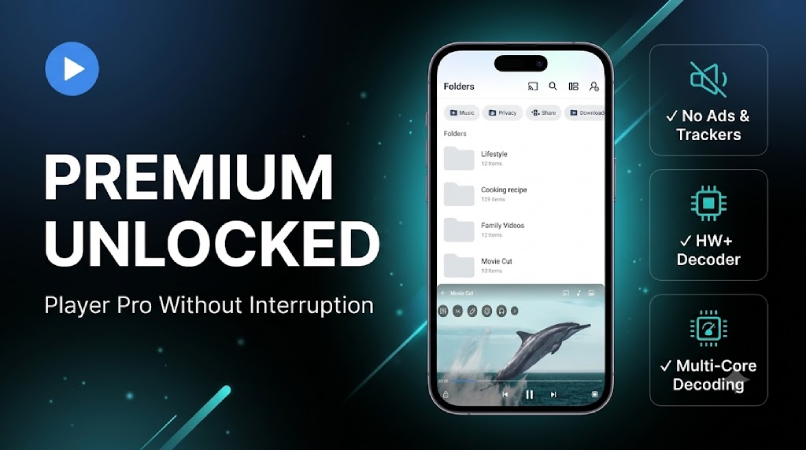
Most Android users compare video apps by catalog size or streaming features. That misses the real decision. Once a movie is already on your device, the question changes from "what can I watch" to "what makes watching easiest?"
Download MX Player Pro MOD APK — Premium Unlocked
MX Player Pro · Offline Movies · VLC Alternative · Plex Comparison · Android Video Player
The Decision Is Not Streaming vs Local Files. It Is Dependency vs Control
Streaming is convenient until it stops being convenient. Buffering, login errors, catalog changes, region locks, expiring downloads, and unstable connections all remind you that online video always depends on something outside your control. Local playback solves that by removing the network from the experience entirely.
That is why dedicated Android video players still matter. MX Player Pro, VLC, and Plex are not really competing to be the same app. They are built around different assumptions about where your content lives and how much friction you are willing to accept. If your content is already on your phone or tablet, the best player is usually the one that makes playback feel invisible.
The core thesis of this article is simple: the value of a video player is not mainly in what formats it supports, but in how little friction it adds once a video file is already yours. For local playback, comfort and control matter more than ecosystem size.
Why Local Playback Feels Better When the Player Adds Less Friction
MX Player Pro MOD APK is designed around one very practical idea: local playback on Android should feel effortless. That sounds obvious, but many players fail at exactly that point. They technically support many formats, but make ordinary tasks like subtitle adjustment, brightness control, resuming playback, or scrubbing through video more annoying than they need to be.
MX Player Pro is strong because it reduces small decisions. Gesture controls are immediate. Resume behavior is predictable. Subtitles are easier to live with. The player feels touch-first rather than menu-first. This matters more than feature count because local playback is a repetitive activity. Small friction compounds quickly when you watch a lot of downloaded content. That is why playback comfort ends up mattering more than technical bragging rights.
What you gain: a smoother daily playback routine, better subtitle comfort, and a player that feels adapted to real Android use rather than just technical format support.
What you lose: ecosystem depth. MX Player Pro is not trying to be a media server, cloud library, or cross-device system. Its strength is playback, not media infrastructure.
Why VLC and Plex Still Matter When Your Friction Problem Is Different
VLC is still the best answer for users who think of video playback as a utility problem. It is free, trusted, format-flexible, and has long earned a reputation for opening nearly anything. If your priority is reliability over comfort, VLC remains one of the easiest recommendations on Android.
Plex solves a different problem entirely. It matters most when your library is bigger than your phone. If you keep content on other devices, care about organizing a larger media system, or want playback across screens, Plex offers value that local-first players do not even aim to provide.
This is why simple "winner" comparisons are misleading. VLC is better for utility-minded users. Plex is better for ecosystem-minded users. MX Player Pro is better for people who mainly want local files to open, play, and stay out of the way. Each app reduces a different kind of friction.
Who Needs Playback Comfort, and Who Needs Something Else Instead
Best for: commuters, travelers, students with saved lectures, users who watch downloaded films or episodes, and anyone who regularly uses subtitle files on Android.
Not ideal for: users who never store local video, primarily stream everything, or care more about remote library organization than about direct local playback comfort.
Common mistake: people compare MX Player Pro to Plex as if one should replace the other entirely. In reality, they overlap only partially. If your problem is local playback friction, Plex is more system than you need. If your problem is home media access across devices, MX Player Pro is less system than you need.
Real-Life Scenarios: Which Kind of Friction Are You Actually Solving?
On a flight or train: MX Player Pro is usually the better choice because offline files, resume behavior, and direct controls matter more than ecosystem features.
For a home media setup: Plex makes more sense because the core problem is not playback comfort. It is organizing and streaming your own library.
For users who just want a free workhorse: VLC is still one of the best answers because it stays close to the idea of a simple utility.
What surprised us: the biggest differentiator was not codec support. It was how quickly each app disappears once playback starts. MX Player Pro is strongest because it feels invisible fastest. That is ultimately the strongest argument for it as a local player.
Before You Choose MX Player Pro: Is Playback Friction Even Your Real Problem?
Before choosing MX Player Pro, ask whether you actually keep local video files. If the answer is no, the app may be excellent without being necessary. Its value rises with the amount of offline content you already manage.
If your video frustrations are about streaming instability rather than local playback, our HD Streamz buffering fix and MovieBox crashing guide are more relevant reads. If your problem is choosing what to watch rather than how to play it, start with our best Netflix alternatives guide instead.
Is It Worth Choosing? Only If Local Playback Comfort Matters More Than Ecosystem Features
MX Player Pro is the best choice here for users whose main problem is playback friction, not media organization. VLC is the safer utility recommendation. Plex is the better ecosystem recommendation. MX Player Pro is the stronger comfort recommendation.
If you regularly watch local files, subtitles matter to you, and you want Android playback to feel smoother rather than more powerful, MX Player Pro is the best fit. If you only stream and rarely touch local files, it is probably the wrong upgrade. The app is worth choosing when the problem you care about is playback friction, not media organization.
How to Download MX Player Pro MOD APK
Since the modded version is not available on the Google Play Store, you need to install it manually. Follow these steps:
- Enable Unknown Sources: Open Android settings, go to "Security" or "Apps," and enable "Install from Unknown Sources."
- Download the APK: Use the app page link to get the latest MX Player Pro MOD APK version.
- Uninstall Older Builds: Remove any conflicting version first if installation fails.
- Install the APK: Open the downloaded file and complete installation.
- Open a Local File: Launch MX Player Pro and test one file with subtitles so you can tune your playback preferences early.
If subtitle-heavy content is your main use case, spend a minute adjusting subtitle size, encoding, and sync after installation. That setup step improves everyday use more than most users expect.
FAQ
Is MX Player Pro better than VLC for offline movies?
Usually yes for comfort, though not always for utility. VLC is still stronger as a free, format-focused tool. MX Player Pro usually feels better for everyday Android playback.
When should I use Plex instead of MX Player Pro?
When your media library lives across devices or on a home server. Plex is better when the problem is media organization, not just playback.
Who benefits most from MX Player Pro?
Users who watch downloaded content regularly, rely on subtitles, and want smoother local playback on phones or tablets.
When is MX Player Pro not worth it?
If you almost never watch local files and do nearly everything through streaming platforms, a dedicated offline player may not change your workflow enough to matter.
If your videos are already on your device, playback should feel simple. MX Player Pro is one of the best Android apps for making local watching stay that way.